 gitpaw
Code as usual.
Gitpaw keeps the diary.
Gitpaw sits on your desktop and turns every AI session into a quiet, local dev diary — while you keep building.

See Gitpaw at work
No more manual logs, notes or journaling. The cat does it for you.
Local first. Token-powered. Coming soon.
$GITPAW
token launch · release date TBA
Your logs, turned into reports
Every day, week and month, you know exactly what you shipped.

Standup notes in one click
Pick "this week" and Gitpaw writes paste-ready bullet points of what you actually did.
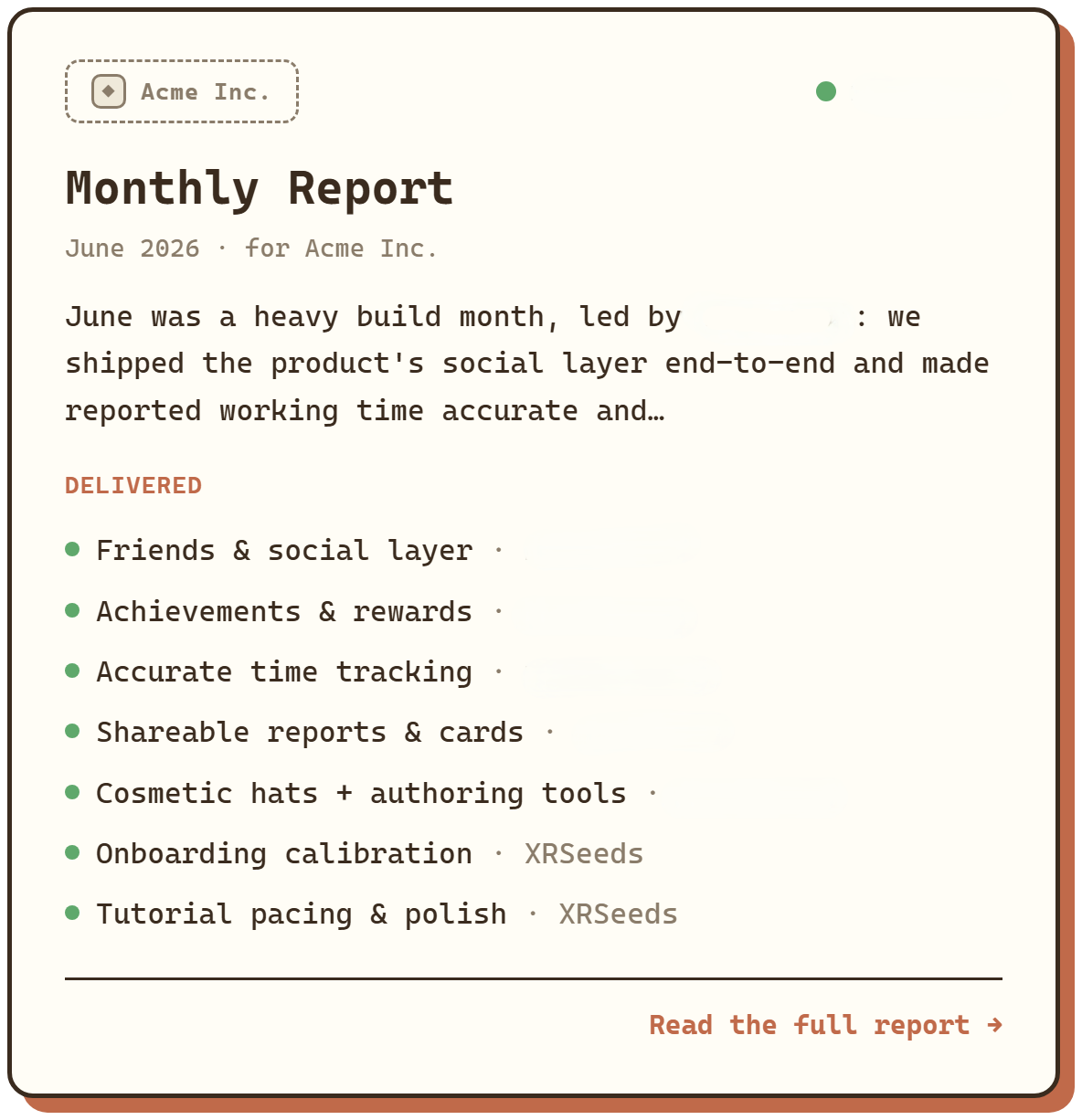
Weekly or monthly recap
Choose any dates and get a clean report of everything you shipped, grouped by project.
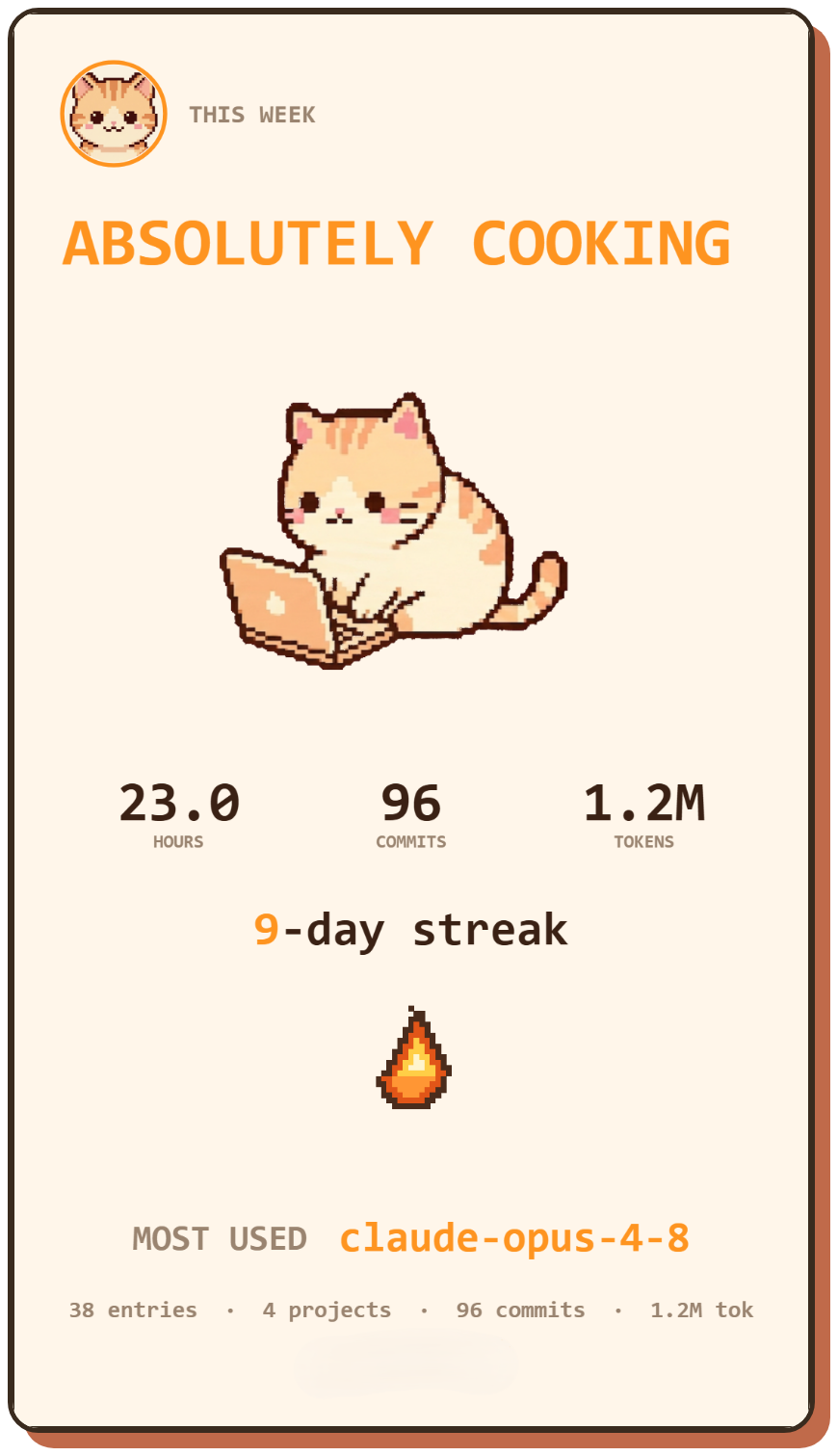
Share-ready cards
Turn any day or week into an animated card, ready to post as an image or video.
Questions, answered
Which AI coding agents does it work with?
Claude Code, Cursor, GitHub Copilot in VS Code, Codex and OpenCode — Windsurf (now Devin Desktop) is in beta. Hook each one up in a single click. When a session ends, gitpaw logs it right away; nothing about your workflow changes.
Can I use local models for the summaries?
Yes. Point gitpaw at Ollama or LM Studio on your own machine and the summaries never travel anywhere. Want cloud models instead? Bring your own key for Groq, Claude, OpenAI or DeepSeek. AI is off by default — it only runs when you switch it on.
Can I export reports as video for social media?
Yes. Any day or week can become a flex card, exported as an image or video — square (1:1) for feeds, vertical (9:16) for reels and stories. Post it in seconds.
Is my data really private?
Yes. Everything is stored in a local database on your machine, and by default nothing is uploaded. The capture service binds to localhost only. The sole exception is when you opt to send a summary to a cloud AI provider — and you can skip that entirely by running Ollama or LM Studio locally.
How do I update the app?
In-app. When a release is available, a banner appears; one click downloads it, checks it, and restarts into the new build. No reinstall, no app store involved.
Does it track my Git commits?
Yes. It reads your local Git history and merges commits into the same timeline as your AI sessions, so reports reflect what you actually shipped, not just what you discussed.
Does it work across projects, agents and models?
Yes. All activity lands in a single diary, one project per repository, with entries from every agent and model in a unified timeline. Each entry carries its own metrics — model, agent, tokens, duration. Everything you build, in one place.
Where is my data stored, and can I back it up or move machines?
It is all local, in one folder in your OS app-data dir: Windows %APPDATA%\day.gitpaw\, macOS ~/Library/Application Support/day.gitpaw/, Linux ~/.local/share/day.gitpaw/. That folder holds the whole diary: diary.db (a SQLite file), an images/ folder and config.json. To back up or move to a new machine, just copy it across. Nothing leaves your computer, and the optional AI summaries can run fully local via Ollama or LM Studio.
What is $GITPAW?
$GITPAW is the token tied to gitpaw. It's coming soon — the token launch, not the app: gitpaw the app will be available first. The token is how early users get in on the project as it grows. Release date is TBA; when it's live you'll see it announced right here and on our socials.
How do I get ready for the $GITPAW launch?
Head to /app and connect your wallet — that's it. No forms, no emails. When the token launches, anyone who connected early gets first access to the sale. Keep your wallet handy and check back; nothing is ever required beyond connecting.